Quick answer
Odoo Procurement Management is the use of the Odoo Purchase app, connected to Inventory and Accounting, to run the full procure-to-pay cycle in one system. Buyers send requests for quotation (RFQs), compare vendor offers, confirm purchase orders, receive goods into stock, and match vendor bills to what was ordered and received. Vendor price lists, reordering rules, purchase approvals, and purchase analysis reports help companies control purchasing and vendor costs.
Key takeaways
- Odoo covers the full procure-to-pay flow: need, RFQ, purchase order, receipt, vendor bill, and payment.
- Vendor price lists, blanket orders, and RFQ comparison help buyers secure the best agreed prices.
- Reordering rules (minimum/maximum stock) trigger replenishment automatically to avoid shortages and overstock.
- Purchase approvals and 3-way matching stop unauthorized orders and payments for goods not received.
- Because purchasing, inventory, and accounting share one database, spend is visible in real time.
What is Odoo Procurement Management?
Every business needs to buy the right products, from reliable suppliers, at the right price, and receive them on time. When purchasing is managed through emails, spreadsheets, and disconnected systems, it becomes hard to track orders, compare vendor prices, and control spending.
Odoo Procurement Management brings all purchasing activities into one platform. Through the Odoo Purchase app, companies manage vendor information, request and compare quotations, create purchase orders, and monitor purchasing activity, while Inventory and Accounting handle receipts, stock, bills, and payments in the same database.
How does Odoo Procurement Management work?
Odoo connects purchasing activities into a structured workflow that starts with a purchasing need and ends with receiving products and paying the vendor.
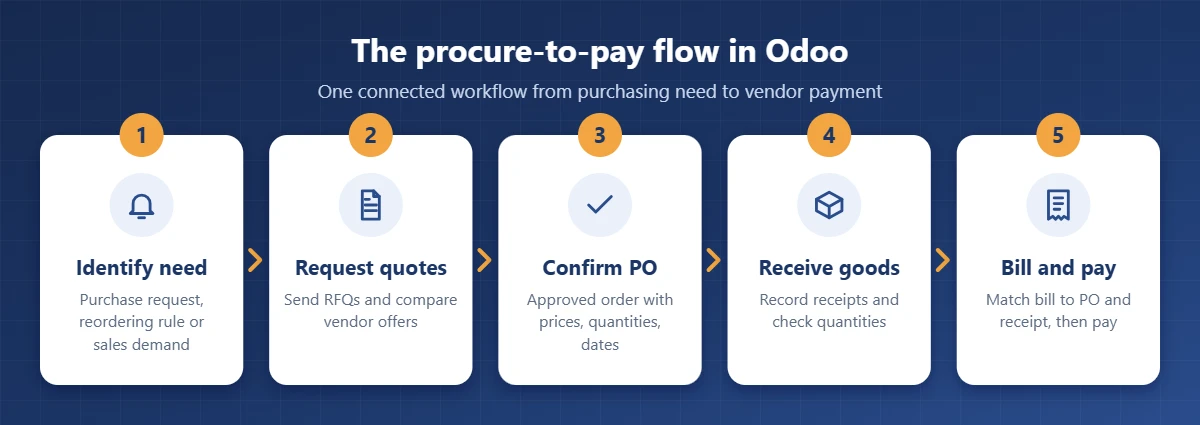
1. Identify the purchasing need
A need can come from an internal purchase request, a reordering rule when stock drops below its minimum, a make-to-order sales order, or a manufacturing order that requires raw materials.
2. Request vendor quotations
The buyer sends an RFQ to one or more vendors directly from Odoo. Alternative RFQs can be linked so offers for the same need are compared side by side by price, quantity, and delivery date.
3. Create the purchase order
The selected quotation is confirmed as a purchase order (PO) with quantities, agreed prices, vendor details, and expected arrival dates. If approvals are enabled, orders above a defined amount wait for a manager's approval.
4. Receive the products
Confirming the PO creates an incoming receipt in Odoo Inventory. The warehouse validates received quantities, so any difference between ordered and delivered items is visible immediately, and backorders are created for missing quantities.
5. Manage vendor bills and payments
Vendor bills are created from the PO in Odoo Accounting. The billing policy can be set to ordered or received quantities, and payments are tracked against each bill.
How does Odoo connect procurement with other business operations?
Odoo does not treat purchasing as a separate activity. Each purchase updates the apps that depend on it, giving management a clear picture of how purchasing decisions affect stock, cash, sales, and production.
| Odoo app | How it supports procurement |
|---|---|
| Inventory | Creates receipts, updates stock quantities, and runs reordering rules |
| Accounting | Generates vendor bills, records payments, and reports purchase expenses |
| Sales | Triggers purchases for make-to-order or dropship products based on customer demand |
| Manufacturing | Buys raw materials and components required by production orders |
| Approvals | Handles internal purchase requests before an RFQ is created |
Why is procurement management important for businesses?
Procurement is more than buying. It includes planning purchases, selecting suppliers, negotiating prices, managing orders, and making sure goods arrive on time and within budget. Poorly organized procurement leads to overspending, late deliveries, stock shortages, and strained supplier relationships.
Controlling purchasing costs
With purchase orders, quotations, and agreed prices in one system, it is easy to see where money is spent, compare offers, and avoid unplanned purchases.
Improving supplier relationships
A central vendor record with contacts, price lists, lead times, and purchase history helps buyers manage suppliers consistently and choose the best source.
Avoiding shortages and overstock
Ordering too much ties up cash in stock; ordering too little interrupts sales or production. Linking purchasing to inventory keeps quantities in balance.
Saving time and reducing errors
Creating RFQs, POs, and bills from the same record removes repeated data entry and frees buyers to focus on negotiation and cost optimization.
Better budget control and decisions
Finance sees purchase commitments before bills arrive, and managers evaluate suppliers and spending trends on real data instead of estimates.
Key procurement challenges and how Odoo helps solve them
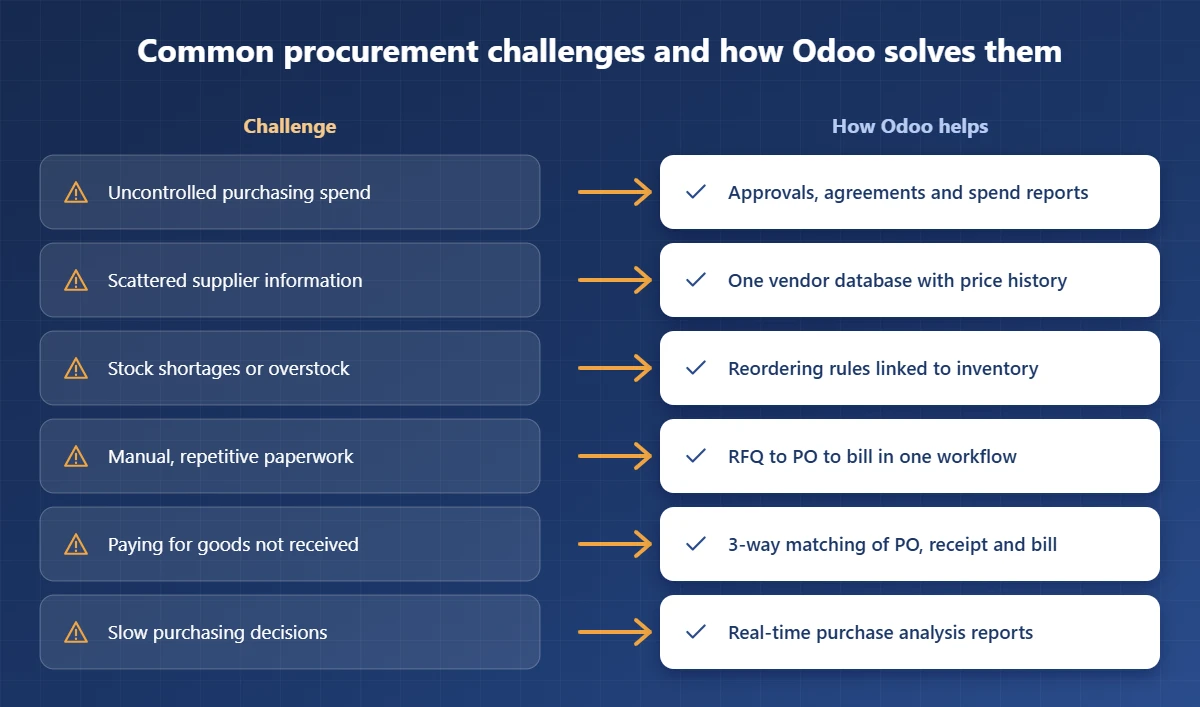
| Common challenge | How Odoo helps | Business result |
|---|---|---|
| Uncontrolled purchasing expenses | Organizes quotations, POs, and approvals | Better cost visibility |
| Poor supplier management | Centralizes vendor details and purchase history | More organized supplier relationships |
| Inventory shortages | Connects purchasing with reordering rules | Better stock availability |
| Manual purchasing processes | RFQ, PO, receipt, and bill in one flow | Less repetitive work |
| Paying for goods not received | 3-way matching of PO, receipt, and bill | Fewer billing errors |
| Slow purchasing decisions | Real-time purchase analysis reports | Faster, better-informed decisions |
Key features of Odoo Procurement Management
As a business grows, more suppliers, larger volumes, and changing prices make procurement harder to control. These are the Odoo features that keep it organized.
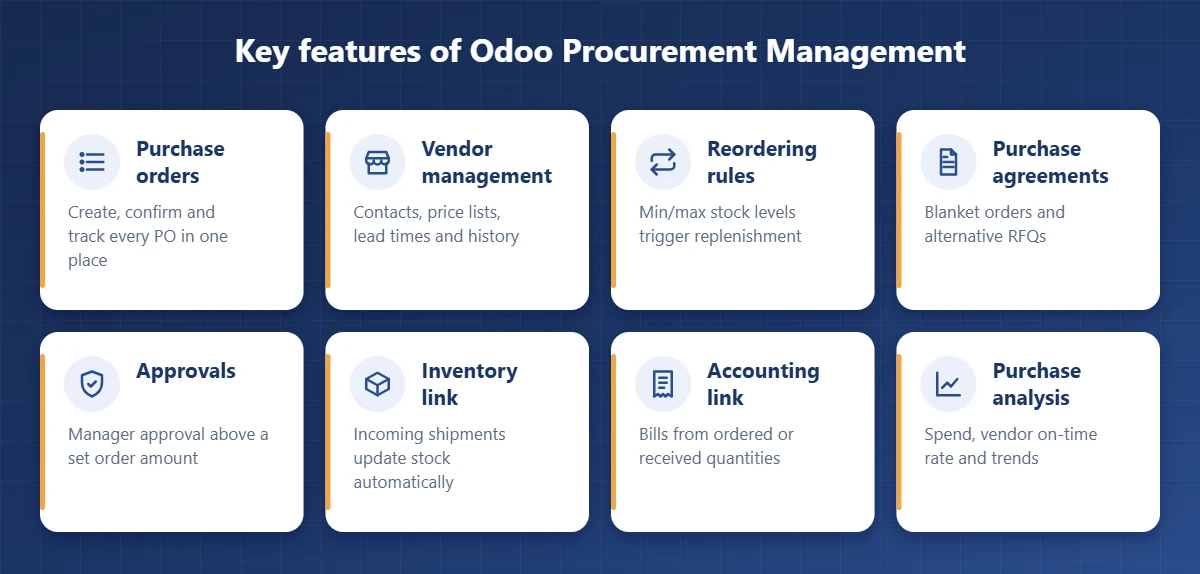
1. Purchase order management
Create POs directly from vendor quotations, track status and expected delivery dates, manage quantities and agreed prices, and review previous orders when planning new ones.
2. Vendor management and evaluation
Each product stores vendor-specific prices, minimum quantities, and lead times. Purchase history and the vendor's on-time delivery rate support supplier selection and negotiation.
3. Automated reordering rules
Minimum and maximum stock levels per product and warehouse tell Odoo when to replenish. The replenishment report shows what to order, and Odoo can generate draft RFQs automatically.
4. Purchase agreements and vendor price lists
Blanket orders record long-term agreements with fixed prices and quantities, and alternative RFQs let buyers compare competing offers for the same purchase.
5. Purchase approval workflows
Odoo can require manager approval for purchase orders above a minimum amount. For more complex rules, such as approval by department or category, the Approvals app or a custom workflow can be added.
6. Integration with inventory
Incoming shipments, received quantities, backorders, and stock movements are all tied to the original PO, so purchasing and warehouse teams work from the same information.
7. Integration with accounting
Vendor bills are created from purchase orders based on ordered or received quantities, and 3-way matching ensures you only pay for what was ordered and delivered. In Saudi Arabia and Egypt, Odoo's local accounting packages support the e-invoicing and VAT requirements of ZATCA and the Egyptian Tax Authority.
8. Purchase analysis and reporting
Purchase reports show spend by vendor, product, and period, average prices, and delivery performance, helping managers spot savings opportunities.
| Feature | Main function | Business benefit |
|---|---|---|
| Purchase order management | Creates and tracks POs | Better purchasing organization |
| Vendor management | Stores supplier prices and history | Improved supplier coordination |
| Automated reordering | Identifies products to replenish | Better inventory control |
| Purchase agreements | Organizes agreed prices and offers | More structured purchasing decisions |
| Approval workflows | Reviews orders before confirmation | Stronger spending control |
| Inventory integration | Links POs with incoming stock | Better stock visibility |
| Accounting integration | Links POs with bills and payments | Accurate financial tracking |
Tips for implementing Odoo procurement successfully
- Map your current process. Document who requests, who approves, and who receives and pays.
- Clean vendor and product data. Import vendors, products, units of measure, and current price lists before go-live.
- Set approval thresholds. Define the order amounts and roles that require approval.
- Configure reordering rules. Start with fast-moving items and review minimum and maximum levels monthly.
- Choose the billing policy. Billing on received quantities with 3-way matching gives the strongest control.
- Train buyers and warehouse staff. Short, role-based training drives adoption.
Choosing the right Odoo implementation partner
The software is only part of the result; configuration that matches your purchasing policy makes the difference. Ask potential partners:
- Do they analyze your purchasing workflow before configuring Odoo?
- Can they set up approvals, agreements, and reordering rules for your business?
- Will they migrate vendor, product, and price data cleanly?
- Do they configure local VAT and e-invoicing requirements?
- Do they provide training and support after go-live?
Perfect Tech is an Odoo Gold Partner serving businesses in Saudi Arabia and Egypt. We configure Odoo Purchase, Inventory, and Accounting around your purchasing policy so you control vendor costs from request to payment. See our customer success stories or Odoo services.
Want tighter control over purchasing costs?
Tell us how your team buys today, and we will show you how Odoo can organize procurement from request to payment.
Talk to an Odoo expertFrequently asked questions
What is Odoo Procurement Management?
Odoo Procurement Management means using the Odoo Purchase app, together with Inventory and Accounting, to manage the full purchasing cycle: purchase requests, vendor quotations (RFQs), purchase orders, receipts, vendor bills, and payments in one integrated system.
What are the main benefits of Odoo Procurement Management?
Better control over purchasing spend, centralized vendor and price information, accurate purchase order tracking, automated replenishment, fewer manual errors, and full integration between purchasing, inventory, and accounting.
Can Odoo automate purchase orders?
Yes. Reordering rules with minimum and maximum quantities generate replenishment requests automatically when stock falls below the minimum. Depending on configuration, Odoo creates draft RFQs for the default vendor, which a buyer reviews and confirms.
Does Odoo support vendor price comparison?
Yes. Buyers can send RFQs to several vendors, link alternative quotations for the same need, and compare prices, quantities, and delivery dates before confirming the best offer. Vendor-specific prices and minimum quantities are stored on each product.
How does Odoo help reduce purchasing costs?
By storing negotiated vendor prices, using blanket orders for agreed rates, requiring approval for large orders, avoiding overstock through reordering rules, and blocking payment for goods not received through 3-way matching.
What is 3-way matching in Odoo?
3-way matching compares the purchase order, the goods receipt, and the vendor bill. When enabled, Odoo only marks a bill as ready to pay when the billed quantities match what was ordered and actually received.
Can Odoo procurement integrate with inventory and accounting?
Yes. Confirmed purchase orders create incoming receipts in Odoo Inventory, and vendor bills are generated from the purchase order in Odoo Accounting, based on either ordered or received quantities.
Is Odoo procurement suitable for small and large businesses?
Yes. A small company can start with the Purchase app alone, while larger companies add multi-warehouse inventory, approval levels, purchase agreements, multi-company purchasing, and custom workflows as needs grow.
Why choose Perfect Tech for Odoo procurement implementation?
Perfect Tech is an Odoo Gold Partner in Saudi Arabia and Egypt. It maps your purchasing process first, then configures approvals, vendor price lists, reordering rules, and integrations with inventory and accounting, and supports your team after go-live.